INFINITEPROBE
THE INFINITEPROBE APP · IOS + ANDROID · FREE

The Whole Cook, On One Screen

Every probe, every temperature, every alert — live on your phone for the entire cook. Download it free, pair in seconds, and never open the lid to check again.

APP STORE▷ GOOGLE PLAY
InfiniteProbe app live cook screen
INTERNAL + AMBIENT·°C OR °F·MULTI-LANGUAGE·BLUETOOTH 5.0·NOTHING LEAVES YOUR DEVICE
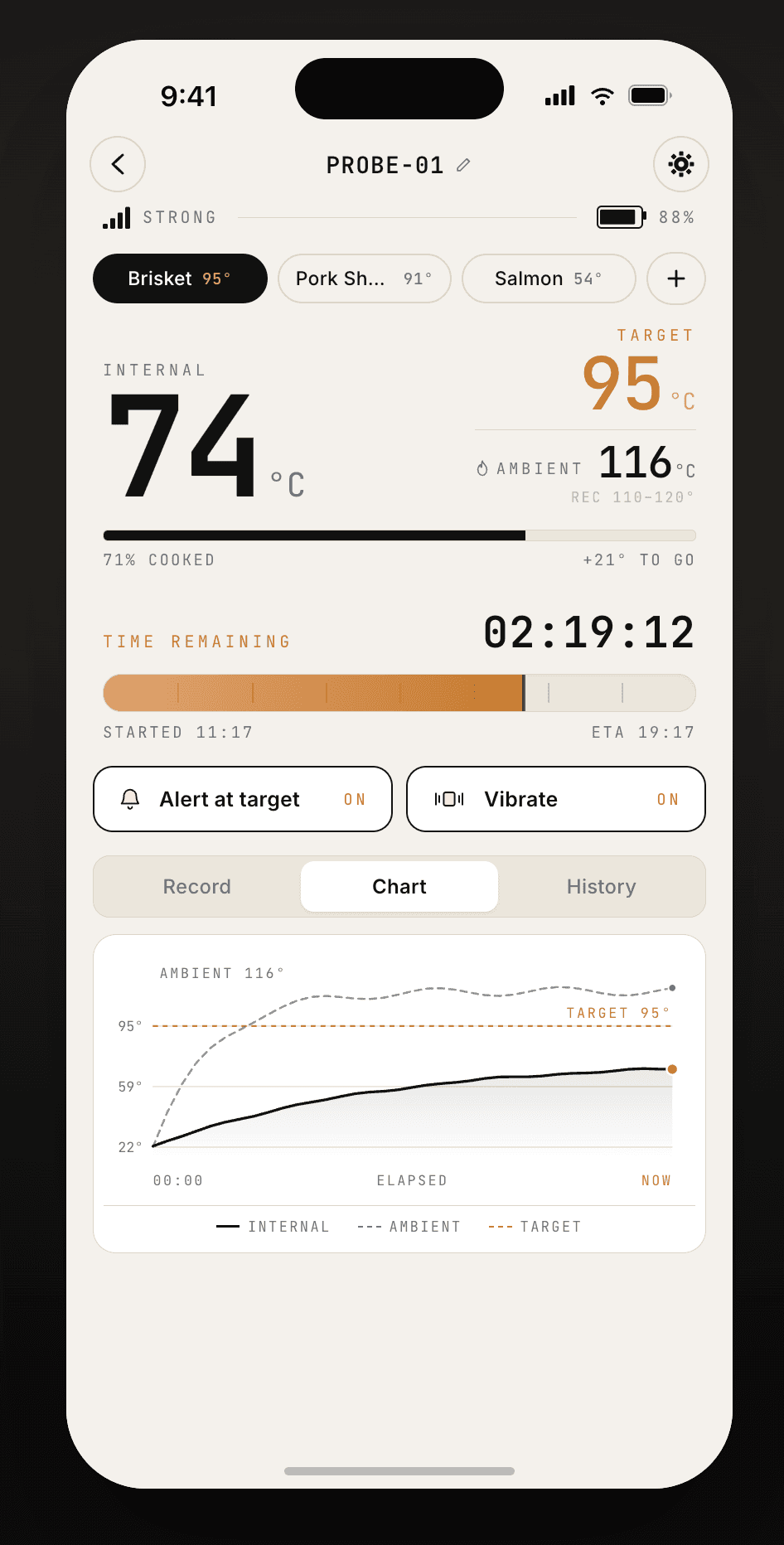
Live cook screen with ambient tracking
§ 01 · LIVE READOUTREAL-TIME MONITORING

The only number that matters, front and center.

Current temperature and target, side by side — with percent cooked, degrees to go, and a live ETA. Ambient tracking watches the pit as well as the meat, so you can hold your cooker in the recommended range.

Oversized current → target readout with progress bar
Live ambient temperature with recommended cook range
Internal + ambient chart, record mode, and cook history
Per-cook alert and vibrate toggles right on the screen
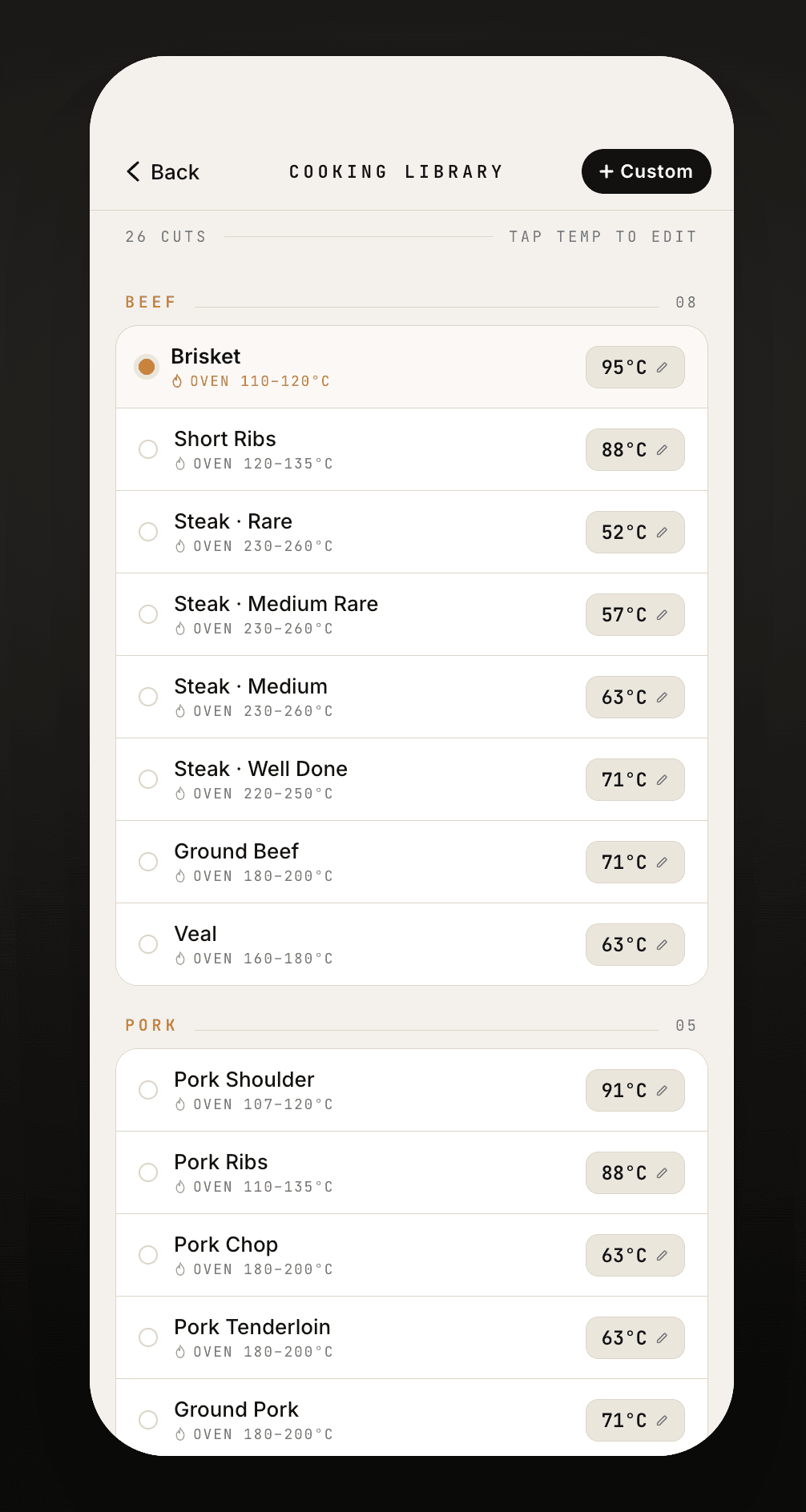
Cooking Library screen
§ 02 · COOKING LIBRARY26 CUTS · TAP TEMP TO EDIT

A library of 26+ cuts.

Beef, pork, poultry, and more — each with an editable reference target and a recommended ambient range for the cooker. Tap to adjust any temperature, or add your own custom cuts.

Reference targets for every cut, from rare steak to brisket
Recommended oven / pit range per cut — e.g. brisket at 110–120 °C
Tap any temperature to edit it in place
Add custom cuts with your own targets
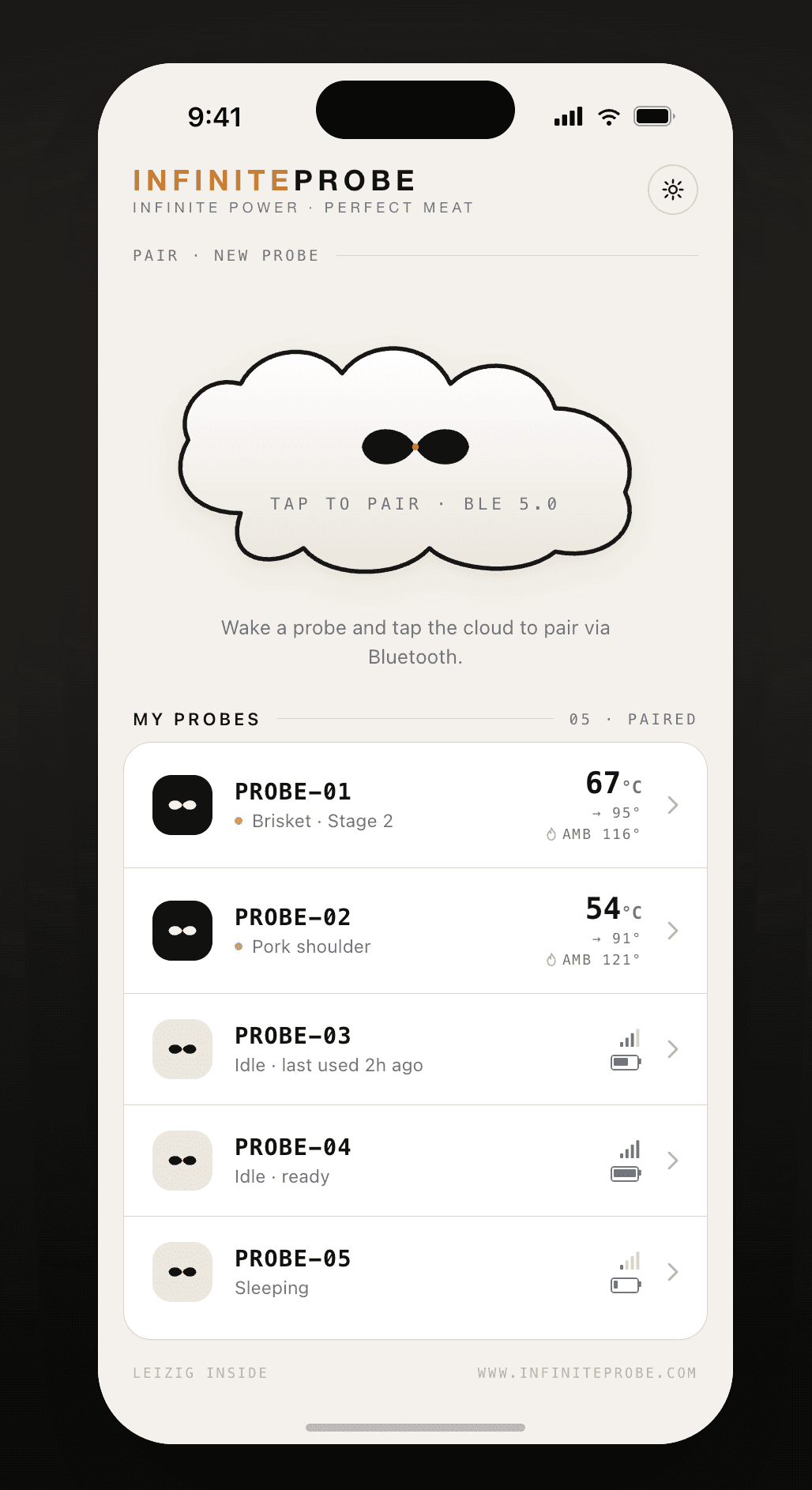
My Probes home screen
§ 03 · MULTI-PROBEEVERY PROBE, ONE SCREEN

Run the whole table at once.

The brisket, the pork shoulder, and the salmon — together on one home screen, each with live temperature, target, and status. Pair as many probes as your table demands.

Live status for every paired probe at a glance
Tap-to-pair a new probe in seconds
Signal strength and probe state per device
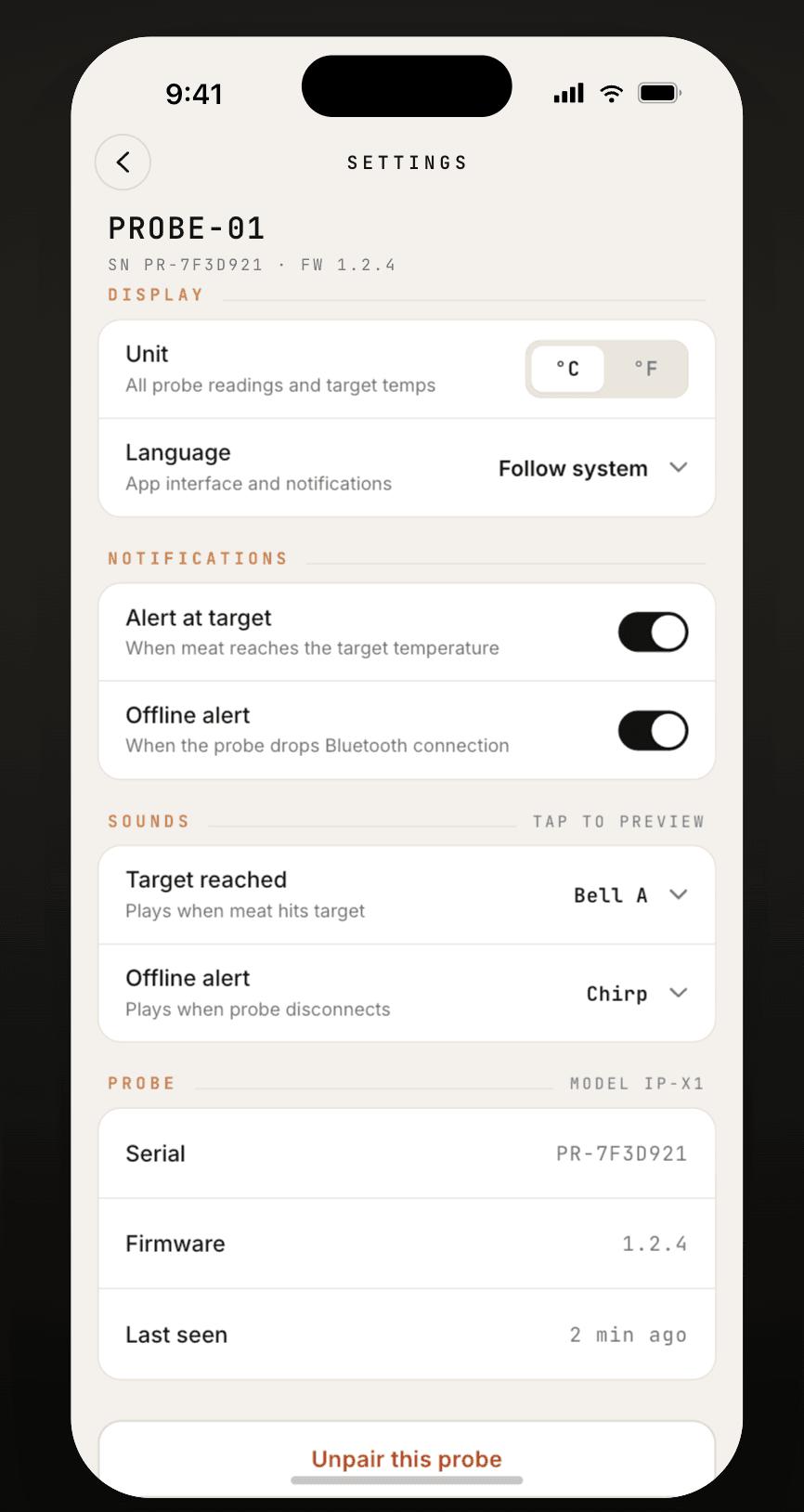
Settings and alerts screen
§ 04 · ALERTS & SETTINGSPER PROBE

Alerts that find you.

Sound and vibration the moment your meat hits target — plus an offline alert if a probe ever drops its connection. Configure each one, per probe.

Target-reached and offline alerts, individually configurable
Distinct alert sounds per probe — tap to preview
°C / °F and language settings, serial and firmware info
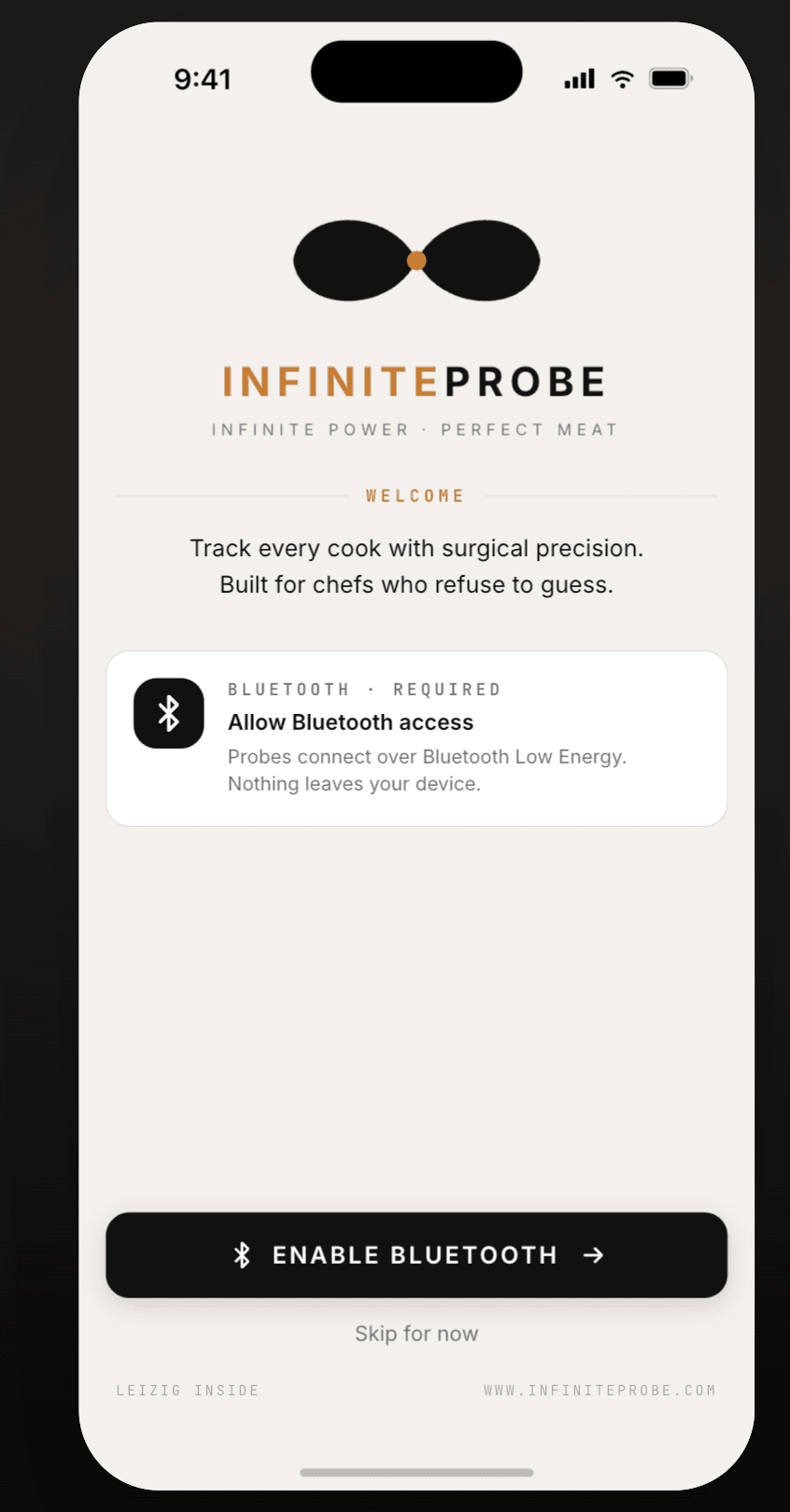
Welcome screen — enable Bluetooth
§ 05 · SET UP IN SECONDSWAKE · TAP · COOK

Paired before the grill is hot.

Enable Bluetooth, wake a probe, and tap to pair. Your probes appear on the home screen with live status, ready to be named, assigned a cut, and put to work.
Bluetooth Low Energy pairing — no account required
Probes connect locally; nothing leaves your device
Name each probe and assign it a cut
FREE DOWNLOAD · NO ACCOUNT REQUIRED

Get the App,
Then Get the Probe.

APP STORE▷ GOOGLE PLAY